Available for ES legislation only

Description

In Spain, the equivalence surcharge (Recargo de Equivalencia) is a simplified VAT regime for retail traders who cannot recover VAT.
When a national customer is subject to this regime, an additional surcharge is applied on sales documents on top of the standard VAT.

Configured on the customer (national customers only) and on tax master data, then reflected on sales documents, the ProductPrice service, and accounting entries.

Available for ES legislation only.

img

Customer Setup

All options in this section apply to ES legislation only.
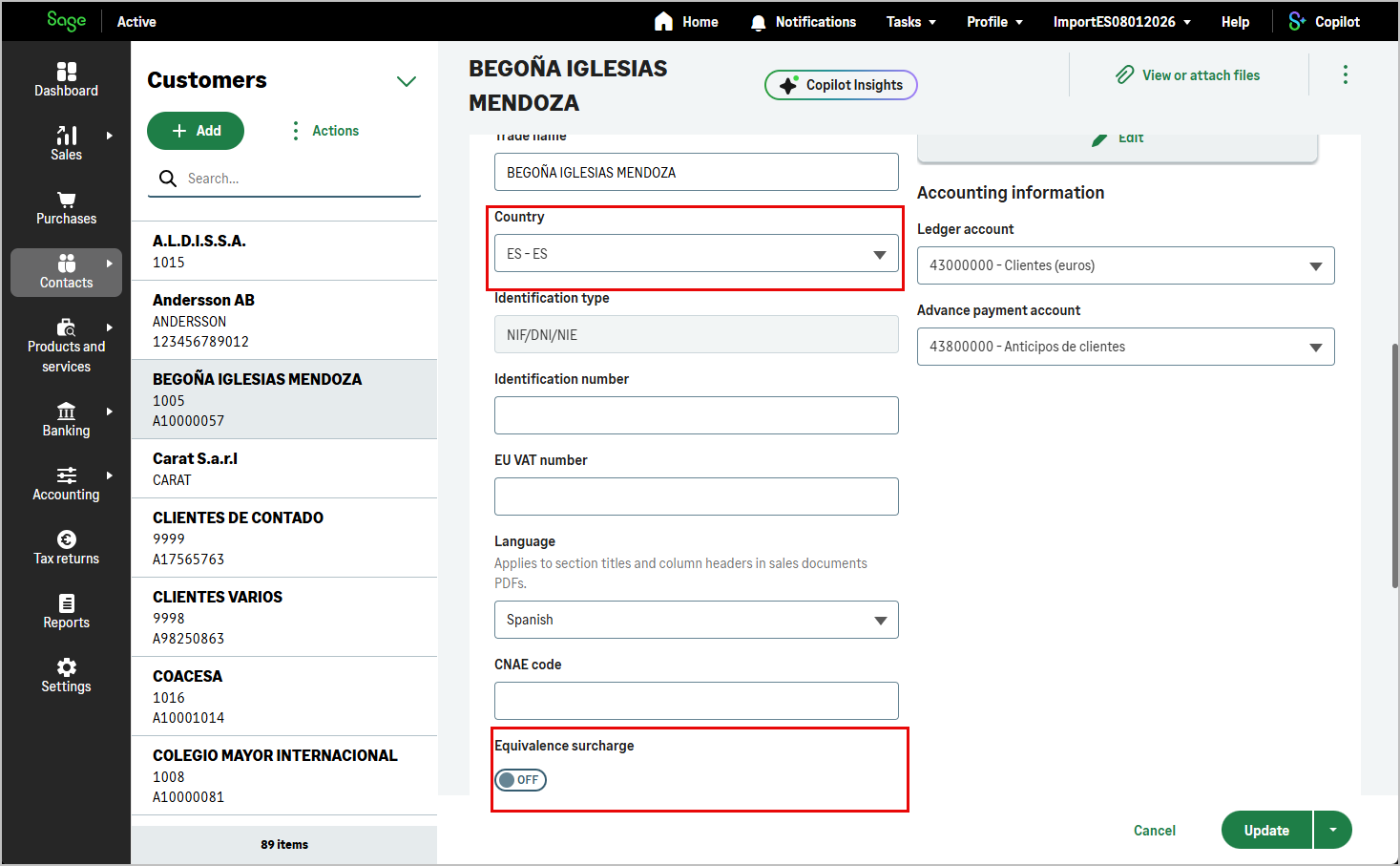
In the web application UI, hasEquivalenceSurcharge is shown only when the customer’s countryAcronym is ES (national customer). It is not shown when countryAcronym is another value.

hasEquivalenceSurcharge indicates whether the customer is subject to the equivalence surcharge regime.

When enabled, sales documents created for this customer include the equivalence surcharge amounts.

  • Unused for the French market.
  • Indicates whether a customer is subject to the equivalence surcharge regime.
    The equivalence surcharge, as applied in Spain, is a form of simplified VAT for retail traders who cannot recover VAT.
    The rates of the equivalence surcharge vary according to the VAT rate applicable to the products, with surcharge rates of 5.2% for products with a general VAT of 21%, 1.4% for products with a reduced VAT of 10%, and other rates for different products or categories.
  • Unused for the German market.
  • Unused for the Portuguese market.

img

Tax Setup

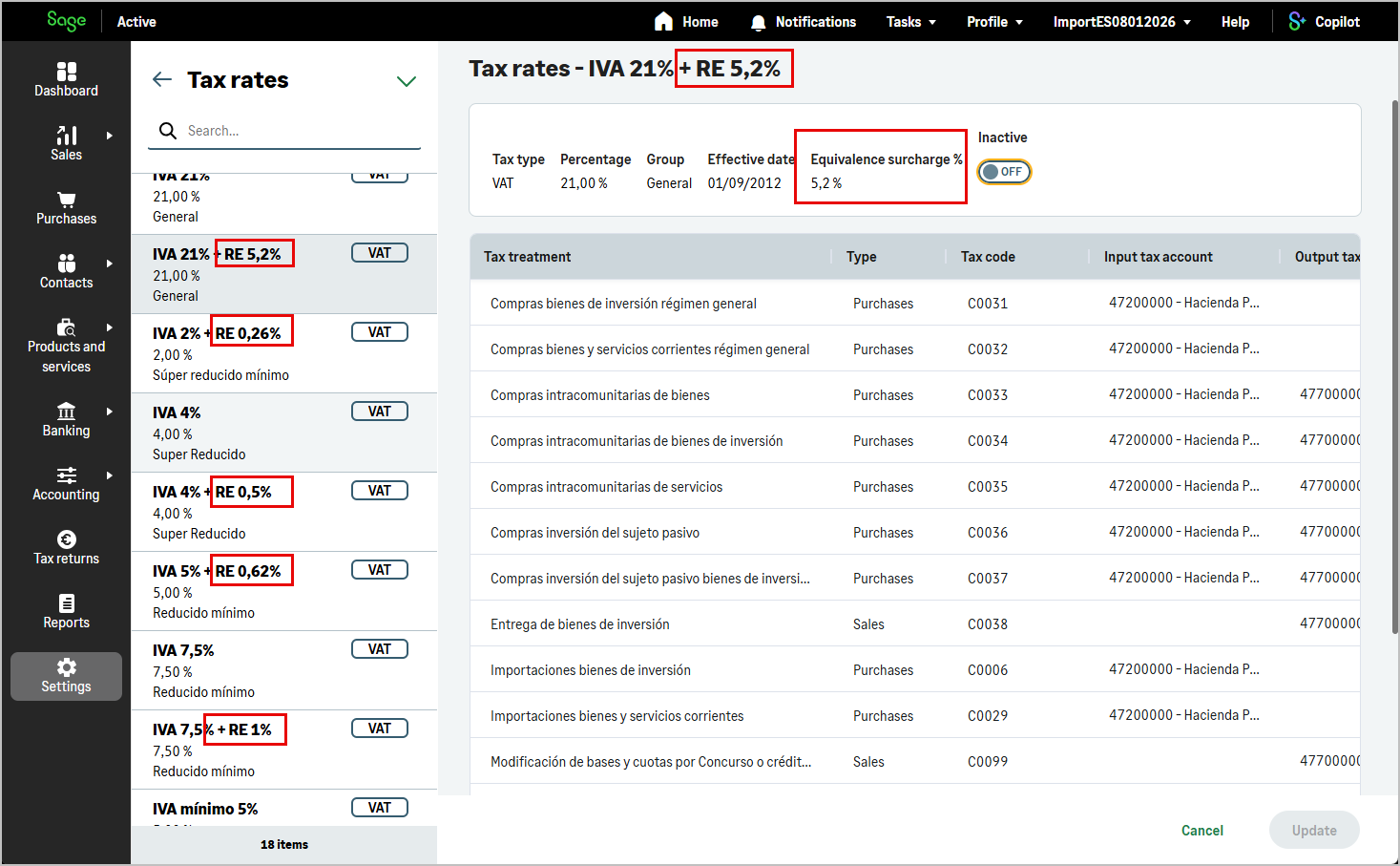
Each tax record defines the surcharge rate applied when the equivalence surcharge regime is active:

UI: these fields are maintained in the tax catalogue under ES legislation.
Under FR, DE, and PT legislation, equivalenceSurchargePercentage is always 0 and hasEquivalenceSurcharge is always false.


  • equivalenceSurchargePercentage: Always 0 for French market.
  • hasEquivalenceSurcharge: Always false for French market.
  • equivalenceSurchargePercentage: The percentage of equivalence surcharge applied in legislation Spain.
  • hasEquivalenceSurcharge: The equivalence surcharge, as applied in legislation Spain, is a form of simplified VAT for retail traders who cannot recover VAT.
  • equivalenceSurchargePercentage: Always 0 for German market.
  • hasEquivalenceSurcharge: Always false for German market.
  • equivalenceSurchargePercentage: Always 0 for Portuguese market.
  • hasEquivalenceSurcharge: Always false for Portuguese market.

img

Sales Documents

On sales documents (quotes, orders, delivery notes, and invoices), equivalence surcharge fields are exposed at document level in the Customer Information and Totals sections.

hasEquivalenceSurcharge indicates whether the document is subject to the equivalence surcharge regime.
This field is read-only on the document and takes the value defined on the customer record.

UI: under ES legislation, when the selected customer is national (countryAcronym = ES), the field is shown disabled to indicate whether hasEquivalenceSurcharge is enabled on the customer.
It cannot be changed on the sales document.
Not shown when countryAcronym is another value, or under FR, DE, or PT legislation.

At document totals level:

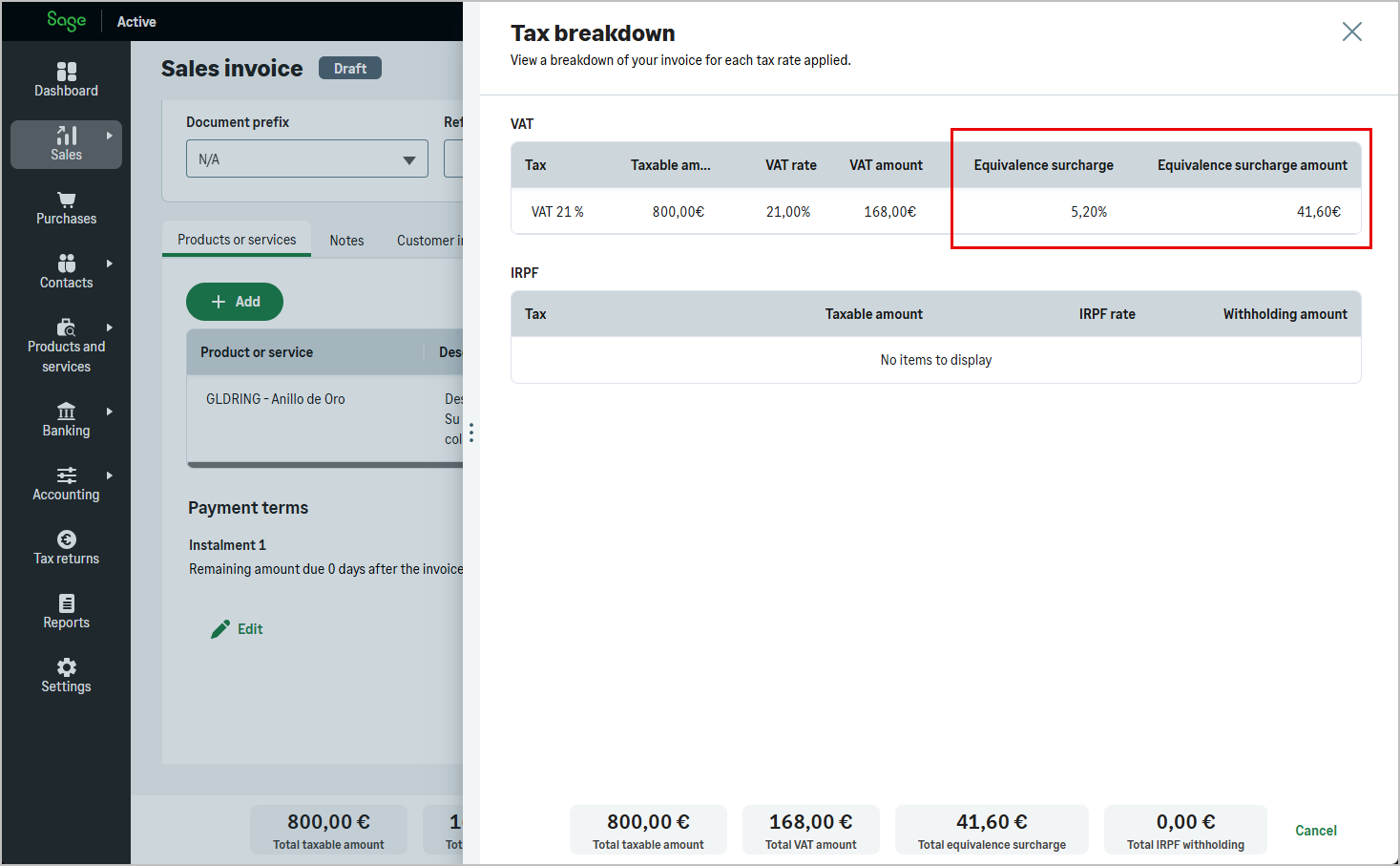
The equivalence surcharge is calculated on the amount of general VAT (totalVatFee).

  • Unused for the French market.
  • Indicates whether a customer is subject to the equivalence surcharge regime.
    The equivalence surcharge (totalFeeSurcharge), as applied in Spain, is a form of simplified VAT for retail traders who cannot recover VAT.
    The rates of the equivalence surcharge vary according to the VAT rate applicable to the products, with surcharge rates of 5.2% for products with a general VAT of 21%, 1.4% for products with a reduced VAT of 10%, and other rates for different products or categories.
    The equivalence surcharge is calculated on amount of general VAT (totalVatFee).
    The hasEquivalenceSurcharge field takes the value defined on the customer record.
  • Unused for the German market.
  • Unused for the Portuguese market.

The same fields are available on all sales document resources that use the common sales document structure (sales quotes, sales orders, sales delivery notes, sales invoices).
img

Sales Document Lines

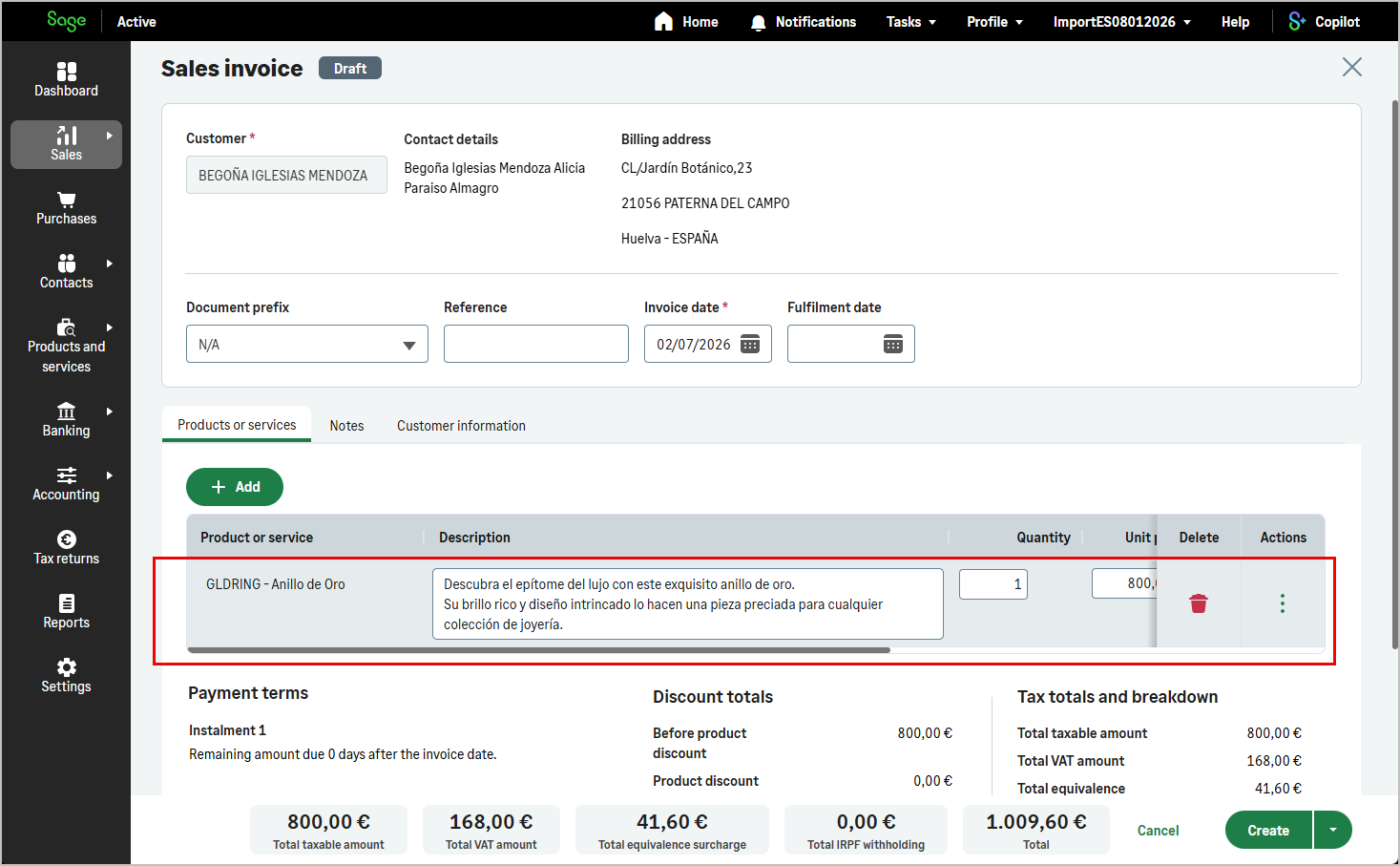
At line level, the following fields are used when the equivalence surcharge applies:

UI: line surcharge amounts are calculated automatically when the customer is subject to the equivalence surcharge regime. They appear in the line totals under ES legislation.

img

Product Price Service

When calling ProductPrice with a customerId, the response includes equivalenceSurchargePercentage.

This field returns the percentage of the equivalence surcharge if the customer has hasEquivalenceSurcharge set to true; otherwise it returns 0.

UI: the surcharge percentage is reflected in the price preview when adding lines to a sales document for a customer subject to the regime.

  • Always 0 as it is unused for the French market.
  • Returns the percentage of the equivalence surcharge if the customer has the option hasEquivalenceSurcharge set to true; else returns 0.
    The equivalence surcharge, as applied in Spain, is a form of simplified VAT for retail traders who cannot recover VAT.
    The rates of the equivalence surcharge vary according to the VAT rate applicable to the products, with surcharge rates of 5.2% for products with a general VAT of 21%, 1.4% for products with a reduced VAT of 10%, and other rates for different products or categories.
  • Always 0 as it is unused for the German market.
  • Always 0 as it is unused for the Portuguese market.

Accounting Entries

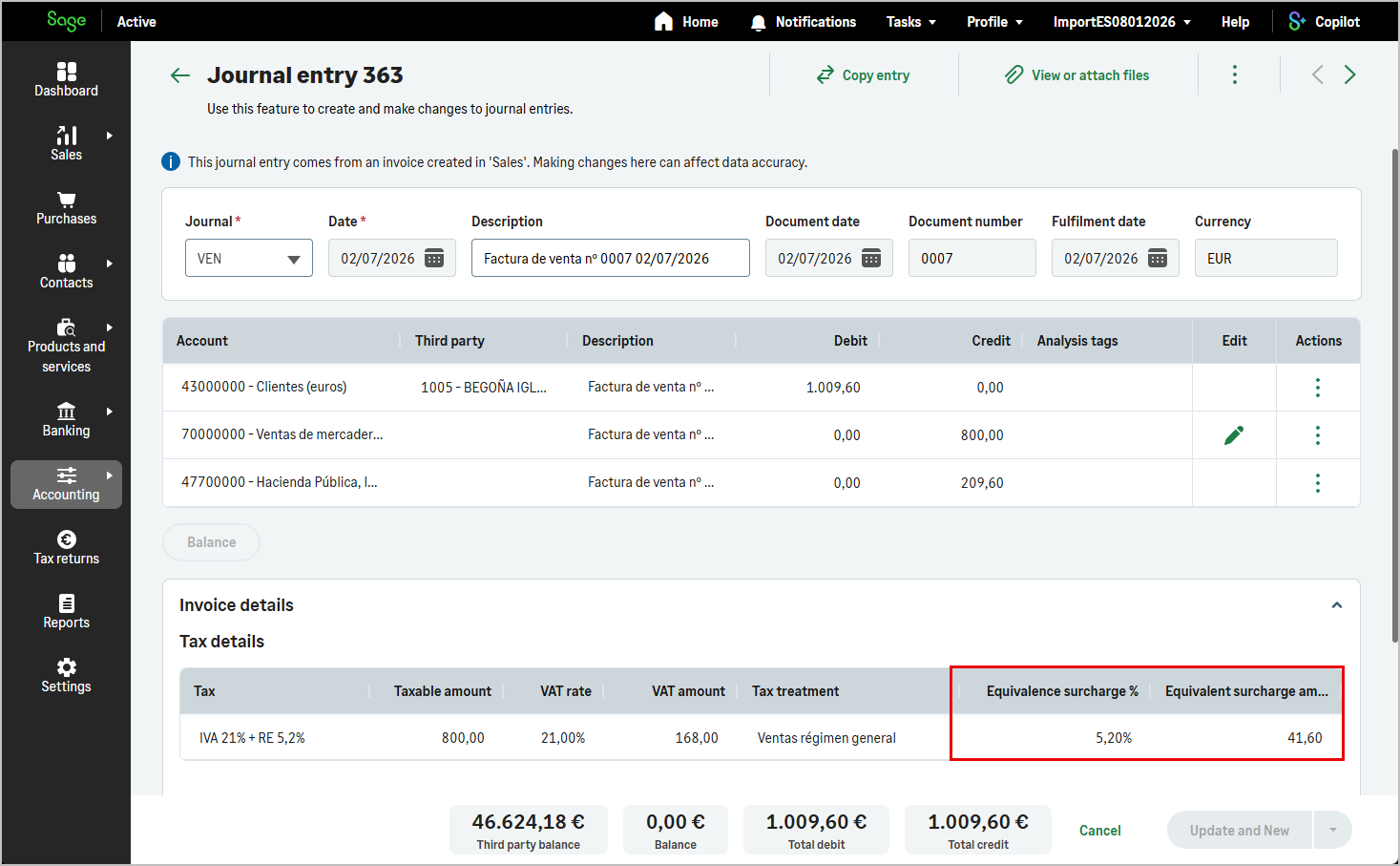
When a sales invoice is posted to accounting, equivalence surcharge information is stored on accountingEntryTax within accounting entries:

These fields are read-only and reflect the equivalence surcharge status of the source invoice at posting time.
They are available under ES legislation only.

  • Not used (for Spain only).
  • These fields relate to the equivalence surcharge (Recargo de Equivalencia), a special VAT regime applicable to specific Spanish retailers.
  • Not used (for Spain only).
  • Not used (for Spain only).

img

End-to-End Behaviour

  1. Enable the regime on the customer with hasEquivalenceSurcharge (ES legislation).
  2. Ensure the relevant taxes records define equivalenceSurchargePercentage and hasEquivalenceSurcharge.
  3. When creating a sales document, select a customer subject to the regime. hasEquivalenceSurcharge is copied to the document; line and document totals (totalFeeSurcharge, totalVatFee) are calculated automatically.
  4. Use ProductPrice to preview equivalenceSurchargePercentage per product before adding lines.
  5. When the invoice is posted, equivalence surcharge fields on accountingEntryTax record the amounts for reporting and VAT return processing.

Via the API, set hasEquivalenceSurcharge on the customer when creating or updating the customer record.
On sales documents, provide the customer (for example customerId on createSalesInvoice); Sage Active applies the equivalence surcharge from the customer and tax configuration.

Creating a Sales Document with Equivalence Surcharge

Document creation uses the same mutations as for a standard sales document (for example createSalesInvoice).

No specific product or line type is required.
Once the customer has hasEquivalenceSurcharge enabled (ES legislation), create the document as usual.
Sage Active calculates surcharge amounts on lines and document totals from the tax rates defined in the tax catalogue.