Available for ES legislation only

Description

In Spain, withholding tax (retención de IRPF) may apply to certain sales of goods or services.
When enabled, a percentage of the transaction is withheld from the amount due and recorded on sales documents for fiscal reporting.

Configured at organization and product level, then reflected on sales documents and their lines through IRPF totals and percentages.

Available for ES legislation only.
img

Organization Setup

All options in this section apply to ES legislation only.
In the web application UI, they are not shown for organizations under FR, DE, or PT legislation.

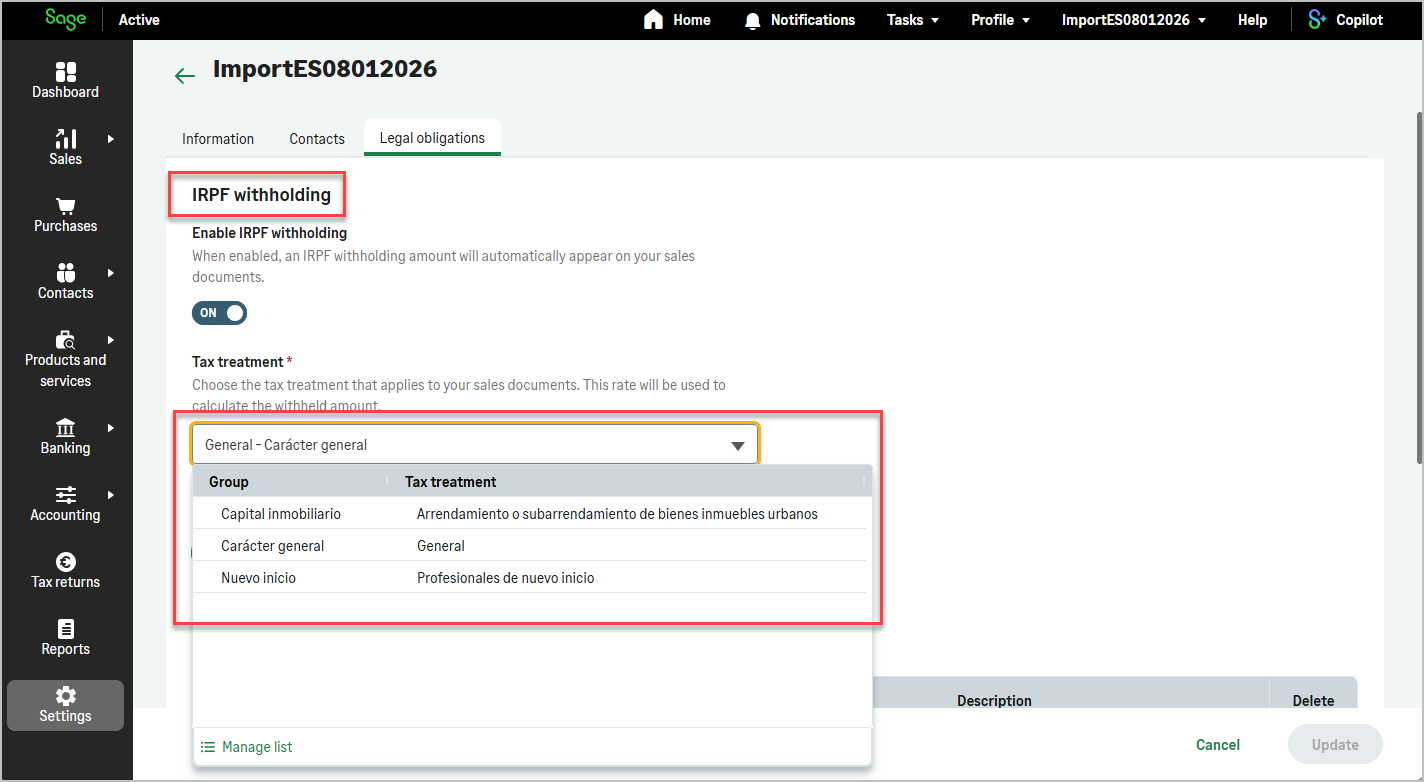
useWithholdingForSales enables IRPF withholding on sales documents for the organization.
When enabled, eligible sales documents may include withholding amounts according to Spanish fiscal rules.

useWithholdingTaxTreatmentId defines the default tax treatment used to apply sales withholding tax when useWithholdingForSales is enabled.

img

IRPF Rate Setup

The configured withholding rate for the organization is exposed through organizationIrpfSetupByOrgId (ES legislation only).

This query returns:

  • name: label of the withholding rate configured for the organization.
  • percentage: percentage applied when calculating IRPF withholding on eligible sales documents and lines.

Use this operation together with useWithholdingForSales at organization level and the IRPF-related fields on products and sales documents.

Product Setup

useWithholding indicates whether withholding tax (IRPF) applies to the product.

When true, withholding can be calculated on sales documents that include this product.
When false, no withholding is applied for lines using this product.

UI: visible on the product form under ES legislation only.

Sales Documents

On sales documents (sales quotes, sales orders, sales delivery notes, sales invoices), IRPF withholding is reflected in document totals and on each line when the organization, product, and line configuration require it.

Sage Active: withholding fields are available under ES legislation only when useWithholdingForSales is enabled at organization level.

At document level:

  • totalLiquidNoWithholding: total amount excluding withholding tax. This represents the taxable base before applying IRPF withholding.
  • totalWithholding: total withholding amount (IRPF) calculated at document level.

At line level:

The same fields are available on all sales document resources that use the common sales document structure.

End-to-End Behaviour

  1. Enable withholding on sales at organization level with useWithholdingForSales (ES legislation).
  2. Configure useWithholdingTaxTreatmentId when required for the default tax treatment.
  3. Retrieve the configured IRPF rate with organizationIrpfSetupByOrgId if needed for display or validation in your integration.
  4. Set useWithholding on products subject to IRPF withholding.
  5. When creating a sales document, provide the customer and product lines as usual. Sage Active calculates totalLiquidNoWithholding, totalWithholding, and line withholdingPercentage according to organization setup, product configuration, and Spanish fiscal rules.
  6. Optionally set withholdingPercentage on document lines through the API when creating or updating lines, if your integration needs to override the default rate for a specific line.

Via the API, set useWithholding on products when creating or updating product records.
On sales documents, rely on organization and product configuration, or set withholdingPercentage on lines according to your integration rules.

Creating a Sales Document with Withholding

Document creation uses the same mutations as for a standard sales document (for example createSalesInvoice).

No specific product category is required beyond configuring useWithholding on eligible products.
Once withholding is enabled at organization level (ES legislation, useWithholdingForSales), create the document as usual and provide product lines for products with useWithholding set to true.

Sage Active calculates withholding totals on lines and at document level from the organization IRPF setup and the product configuration.