Available for FR legislation only

Description

E-invoicing (facture électronique) for France covers registration with the Sage Plateforme Agréée (PA), routing addresses on customers (eInvoicingAddressType / eInvoicingAddress), and electronic-invoice fields on sales invoices and purchase invoices.

Configured in Settings → E-Invoicing and e-reporting, then reflected on documents used to create, send, receive and track e-invoices in Sage Active.

Available for FR legislation only.

img

UI: once the organization is registered with the Sage Plateforme Agréée (PA), finalized sales e-invoices are sent to tax authorities, and purchase e-invoices can be received and tracked in the UI.

All VAT-registered businesses in France must start receiving e-invoices on 1 September 2026. Register before that date to avoid delays. Depending on business size, sending e-invoices may also become mandatory.

Customer routing relies on eInvoicingAddressType and eInvoicingAddress (see Customer Setup).

E-Invoicing Settings

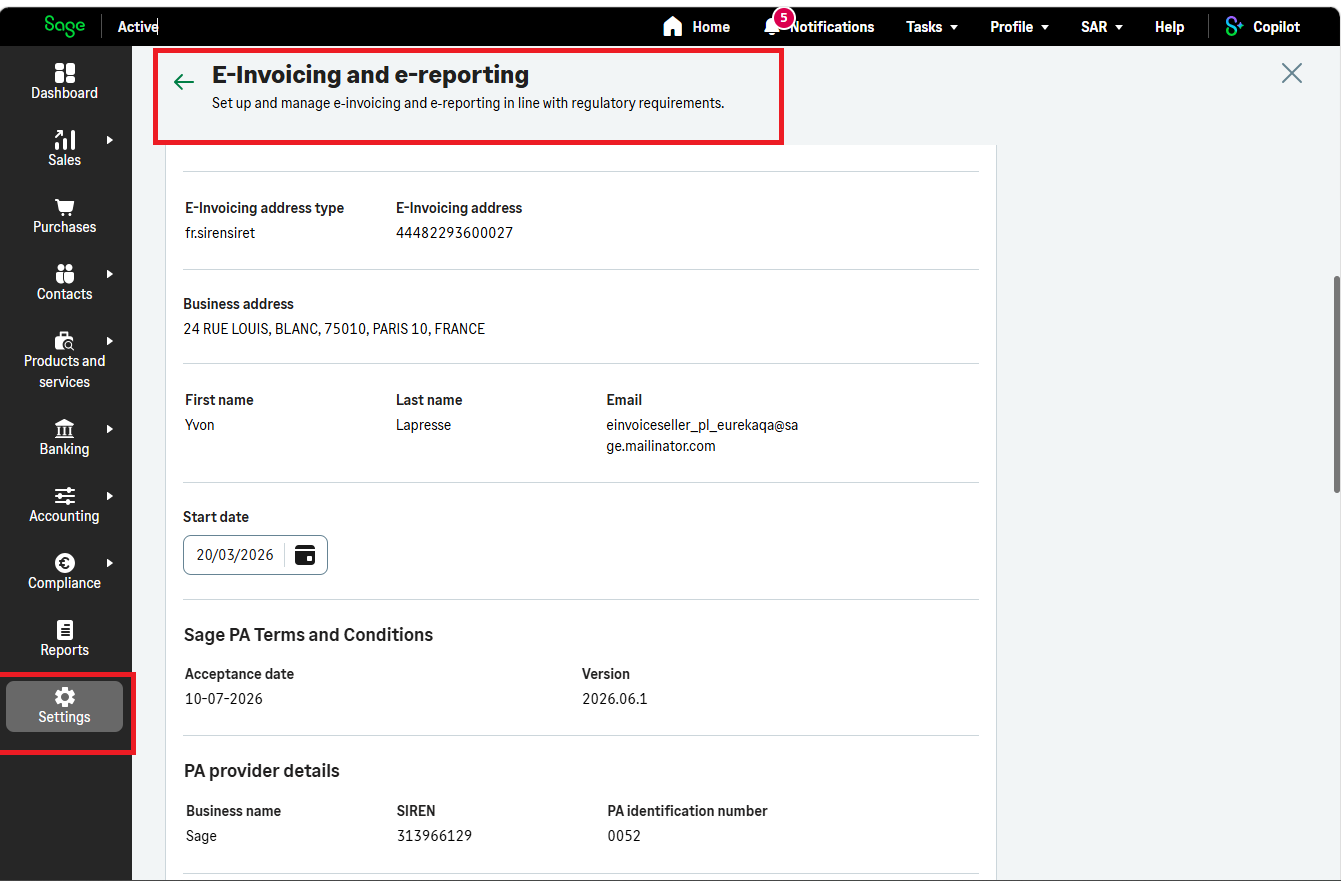
E-invoicing is configured in the Sage Active product under Settings → E-Invoicing and e-reporting.

This screen covers registration with the Sage Plateforme Agréée (PA) and stores the organization’s e-invoicing identity used when sending and receiving electronic invoices.

These settings are exposed through the API with organizationEInvoiceSetupByOrgId:

  • status: Indicates whether the organization is registered with the Plateforme Agréée (PA).

With e-invoicing enabled, you can create, send, receive and track invoices in Sage Active. Whenever you finalise an e-invoice, invoice data is sent to tax authorities to comply with legislation.

UI: These settings apply under FR legislation only.
When the organization has completed registration with the Plateforme Agréée (PA), status returns the value Accepted.
These settings are a prerequisite for electronic invoicing flows exposed on sales invoices and purchase invoices.
img

Customer Setup

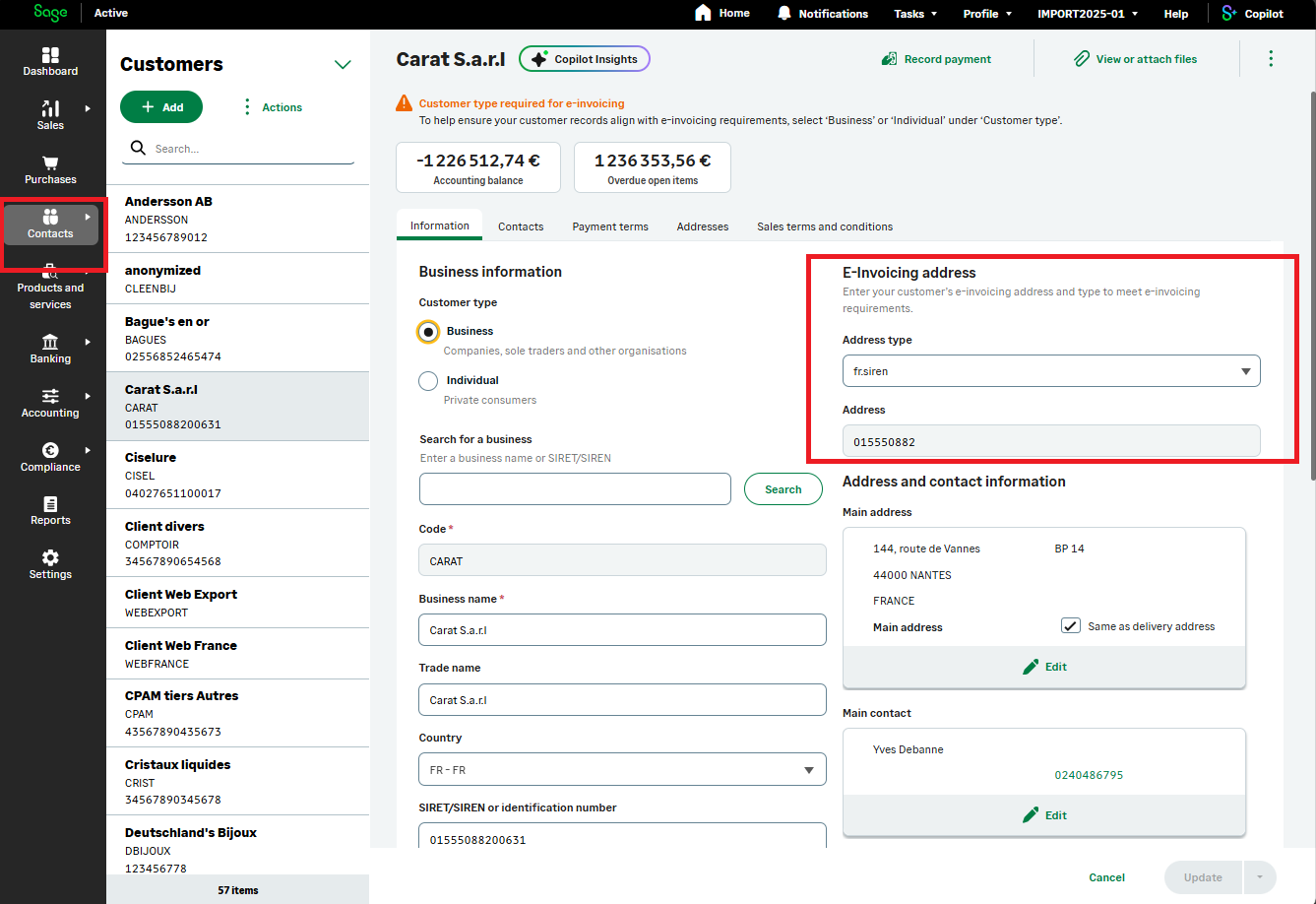
On customers, routing data for electronic invoices is stored on:

  • eInvoicingAddressType: Defines the type of address used for electronic invoicing to receive invoices.
    Possible values: fr.siren, fr.sirensiret, fr.sirensiret_routing, fr.siren_suffix.
  • eInvoicingAddress: Contains the identifier registered in the electronic invoicing directory and used to route electronic invoices to the customer.

    There are four possible electronic invoicing address formats, depending on how a company organizes its invoice reception:

    • fr.siren (SIREN): A general address for the whole company.
      Example: 123456782
    • fr.siren_suffix (SIREN + Suffix): Used to route invoices to different departments within the company.
      Example: 123456782_Accounting
    • fr.sirensiret (SIREN + SIRET): Used to identify a specific establishment or branch.
      Example: 123456782_12345678200001
    • fr.sirensiret_routing (SIREN + SIRET + Routing Code): Used to direct invoices to a specific department inside a branch or site.
      Example: 123456782_12345678200001_Bakery

UI: These fields are available only under FR legislation and for customers with customerType = BUSINESS.
They are carried over to the sales invoice (eInvoicingAddressTypeCustomer / eInvoicingAddressCustomer) when the organization is connected to a Plateforme Agréée (PA) — see status.

img

Sales Invoices

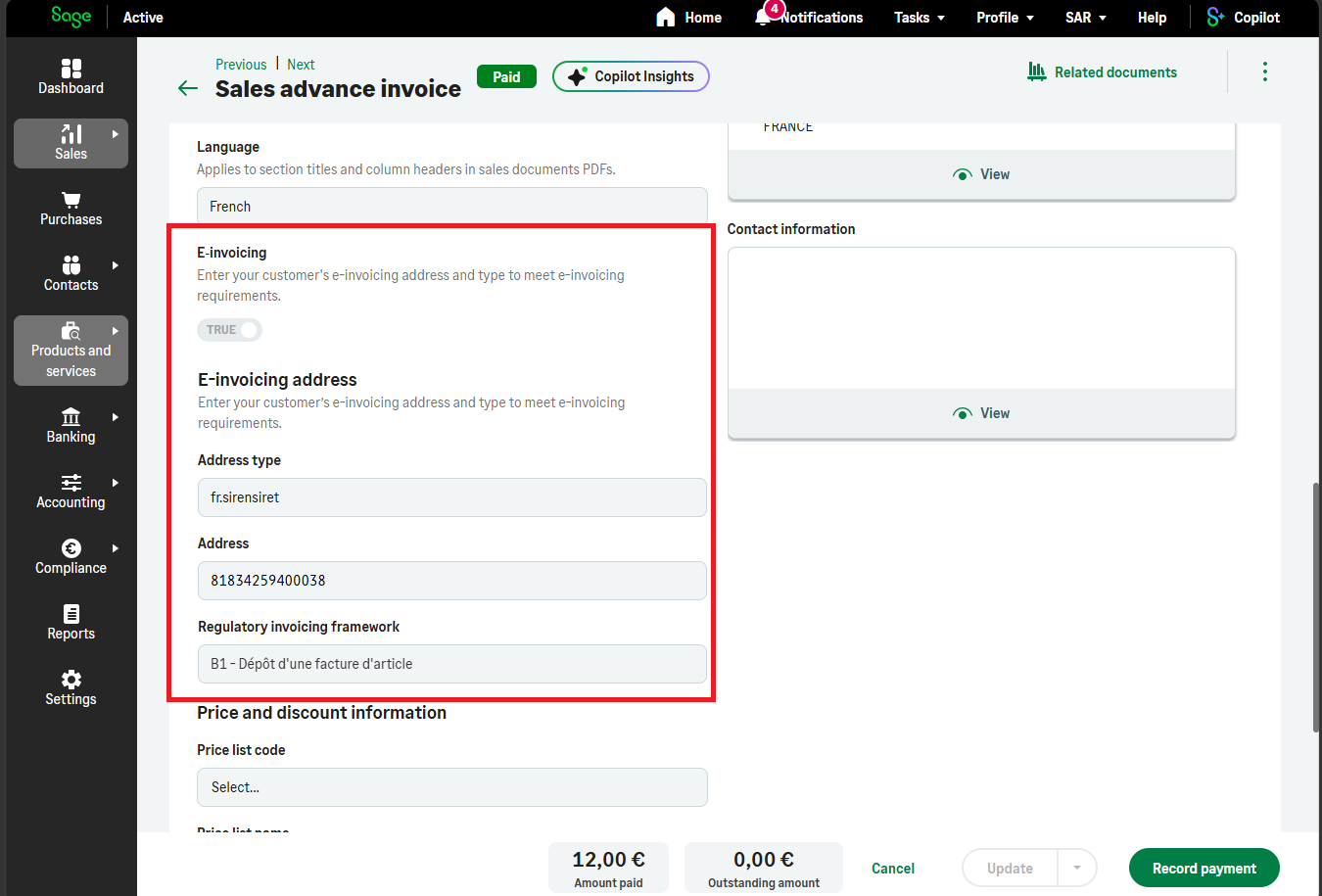
On sales invoices, the following fields are used to send an invoice via electronic invoicing:

The following field is not an input field. It reports the electronic invoicing status of the invoice:

UI:

  • The four input fields above are visible only under FR legislation, and only if status on organizationEInvoiceSetupByOrgId is Accepted (organization registered with the Plateforme Agréée (PA)).
  • shouldSendViaElectronicInvoicing is set to true when the customer eInvoicingAddressType and eInvoicingAddress are filled.
  • Those two customer values are copied by default into eInvoicingAddressTypeCustomer and eInvoicingAddressCustomer on the invoice.
  • When shouldSendViaElectronicInvoicing (corresponds to E-invoicing) is true and eInvoicingAddressTypeCustomer, eInvoicingAddressCustomer, and regulatoryBillingFramework are filled on the sales invoice, the Post Sales Invoice operation automatically sends the invoice to the Sage Active Plateforme Agréée (PA).
  • If the post operation fails, Retry Sales Invoice Electronic Submission allows resubmitting the invoice into the electronic invoicing cycle.

img

Purchase Invoices

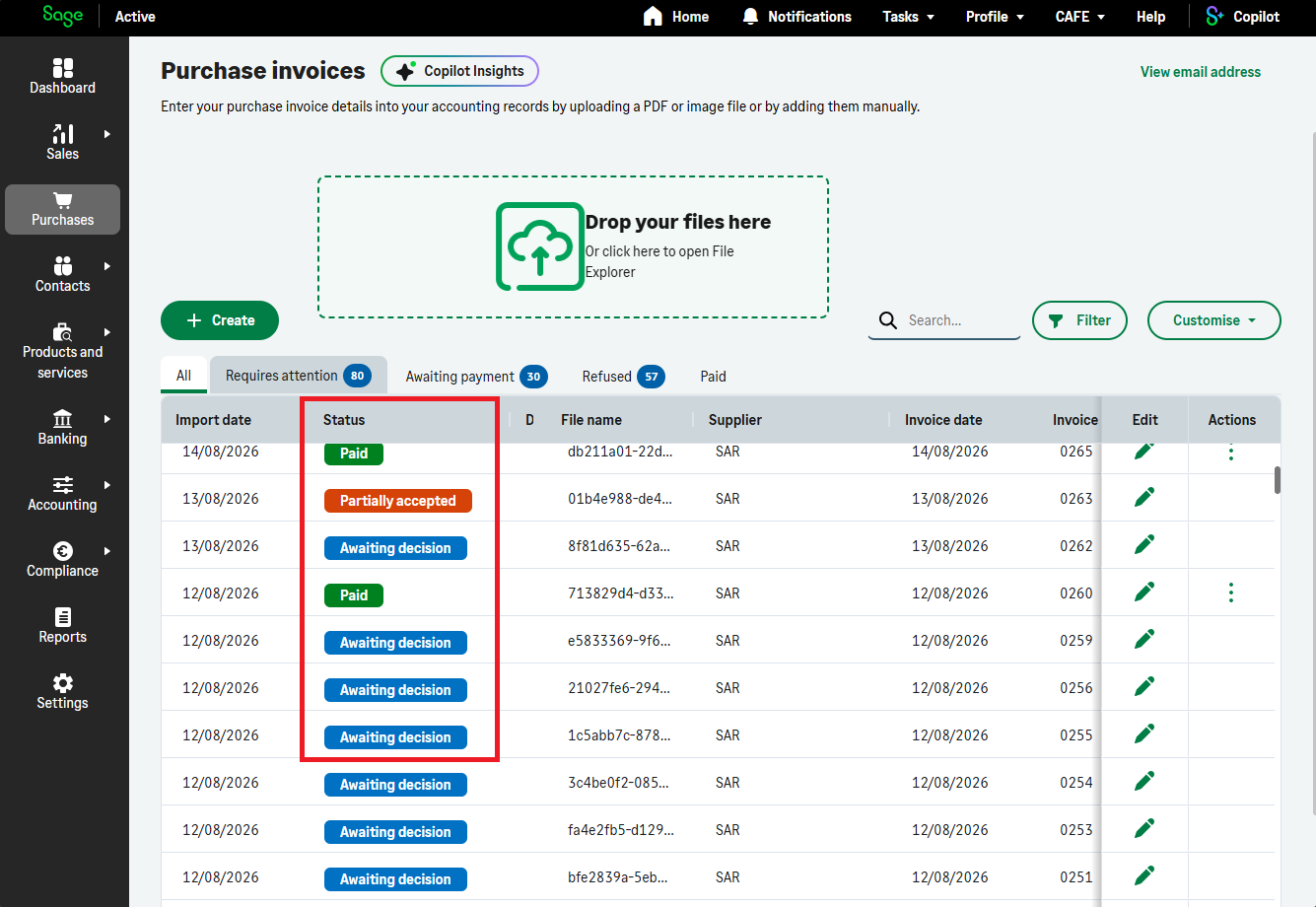
Purchase invoice status also exposes values specific to French electronic invoices:

  • AwaitingDecision: electronic invoice awaiting approval / refusal.
  • Refused: electronic invoice refused.
  • PartiallyAccepted: electronic invoice partially accepted.
  • Accepted: electronic invoice accepted.

UI: These status values apply under FR legislation only.
The organization must have status = Accepted for registration with the Plateforme Agréée (PA).
Purchase invoices with these statuses are invoices received in the context of electronic invoicing.

On purchase invoices, the following fields are specific to French electronic invoicing:

  • eInvoiceId: Identifier of the electronic invoice.
  • isEInvoice: Indicates whether the purchase invoice is an electronic invoice.
  • isEInvoiceCreditNote: Indicates whether the electronic invoice is a credit note.
  • eInvoicingStatus: Standardized status for e-invoicing that enables tracking of the invoice lifecycle.

img